Эта страница является
переводом страницы
Samsung SmartTV 2014. Перевод выполнен на 100%.
Samsung Smart TV
Samsung Smart TV is a module to control Samsung TV-sets (H series) manufactured in 2014.
documentation was last updated on 16.1.2020
Samsung Smart TV is a module to control Samsung TV-sets (H series) manufactured in 2014. This module can be built in a project (merged with a project) in iRidium studio and comfortably conrol basic functions of TV-sets.
Integration of a module to project
We made a project with a remote to control Samsung TV-sets that can be easily merged with Your project.
The project includes:
1. Visual part.
- "Home" page contains control items that look like a TV remote.
- "Pin" popup is a window to enter PIN to connect to the TV-set.
- "IP" popup is a window to enter IP-address of a TV-set.
2.Driver for SamsungTV.
The driver contains "Commands" and "Feedbacks" required for control.
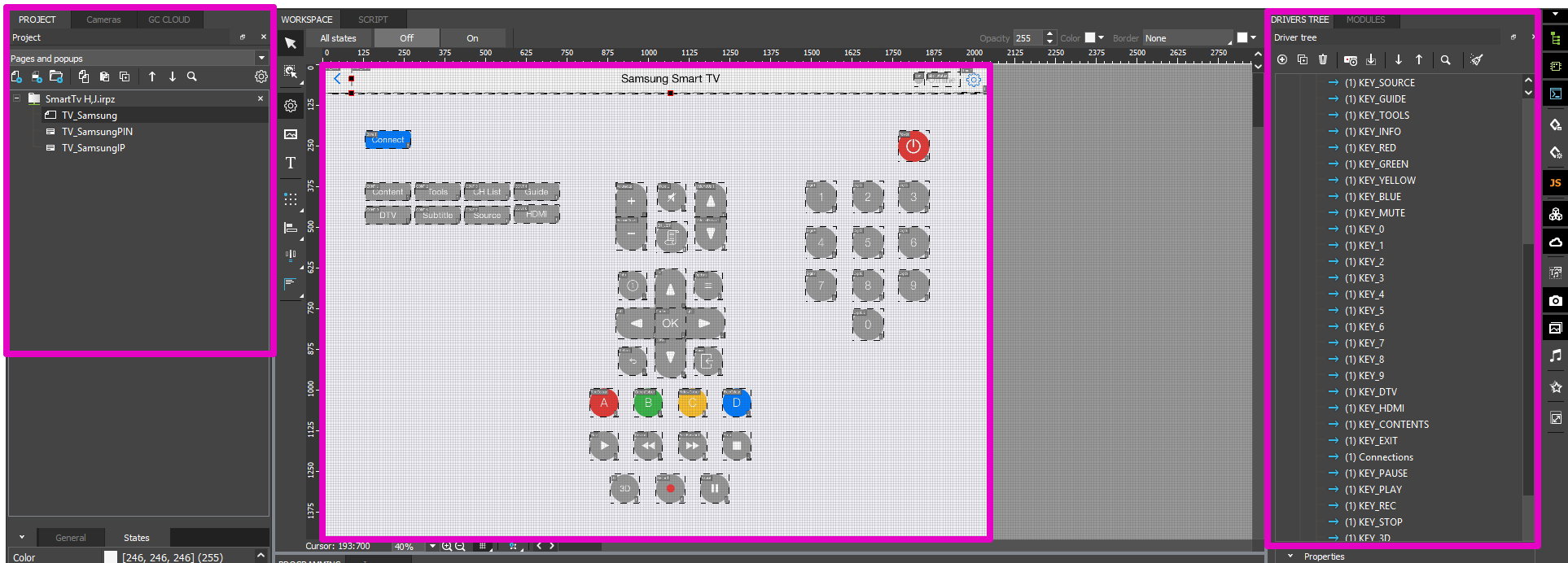
Working in iRidium studio
The module is integrated in several steps:
1. Create a folder "SamsungTV" in your project and select it.
2. Open a project with Samsung module and merge it with your own project with the help of drag'n'drop. All items will be moved to the folder you created
3. Create a button in your project and programit to call "Home" page of Samsung module, where a remote is located.
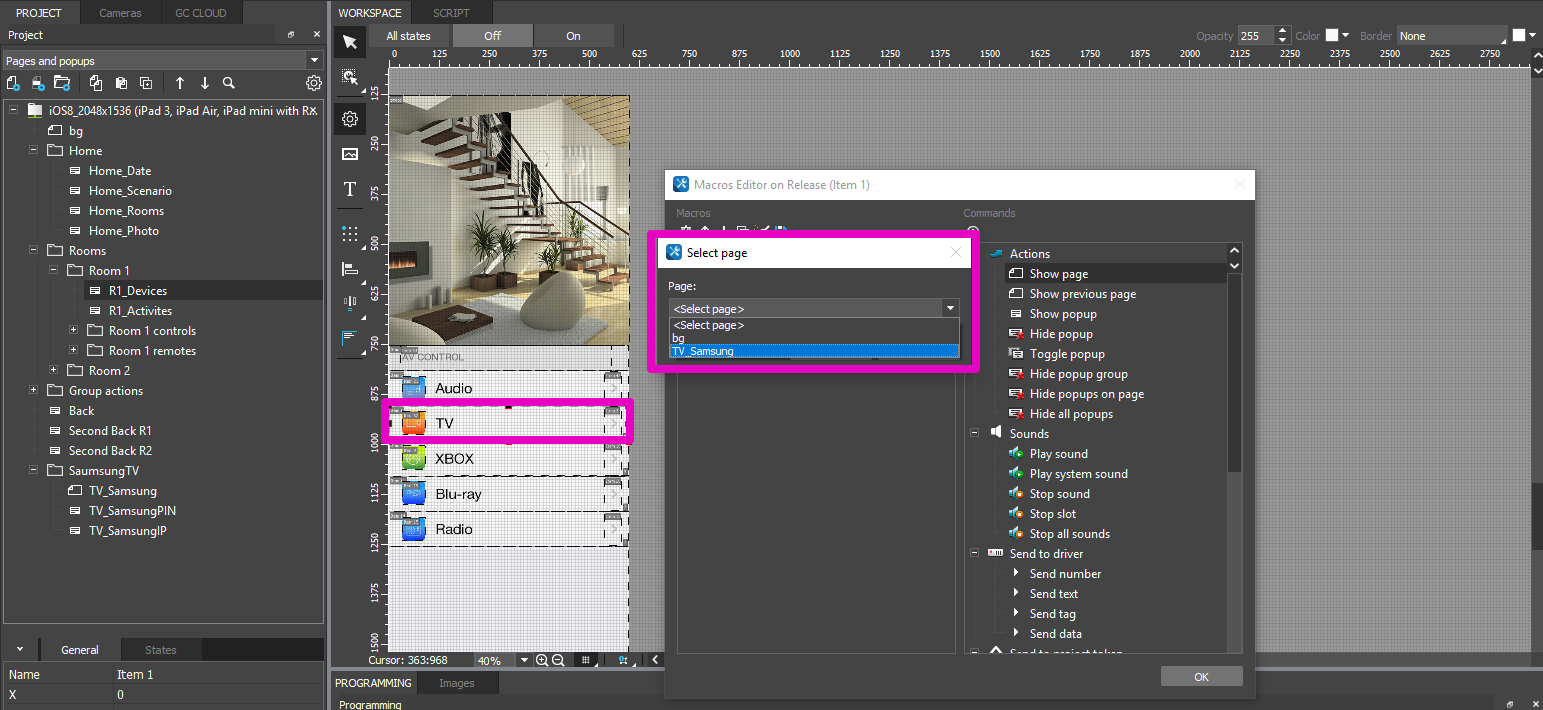
Connection to TV-set and functions of a remote
Connection to Samsung TV-set
To control a TV-set with the help of the module do the following:
1. Введите IP телевизора, нажав кнопку
2. Enter in the the window that appears PIN that is displayed on the screen of the TV-set.
 .
.
After it, a remote control from Samsung module starts working.
Functions of remote
1. Button to enter IP-address of the TV-set. Connection status is displayed next to it.
It opens a popup to enter IP-address.
2. Connect is a button that opens a popup to enter PIN.
3. Buttons of fast access. They provide fast access to certain functions of a TV-set.
4. Basic control buttons of a remote
5. Buttons to control multimedia.


